A customer sends your business a WhatsApp message asking about a product. At the same time, another customer wants to change an order, someone is waiting for a price, and a new lead is asking to speak with your sales team.
Your phone keeps ringing. Messages are coming in, but your team can't reply to everyone at once.
This is a common problem for businesses that use WhatsApp to handle sales and customer enquiries.
The WhatsApp Business App works well when you have a small number of conversations. But as your business grows, managing everything from one phone or a few connected devices becomes difficult.
That's where WhatsApp Business API can help.
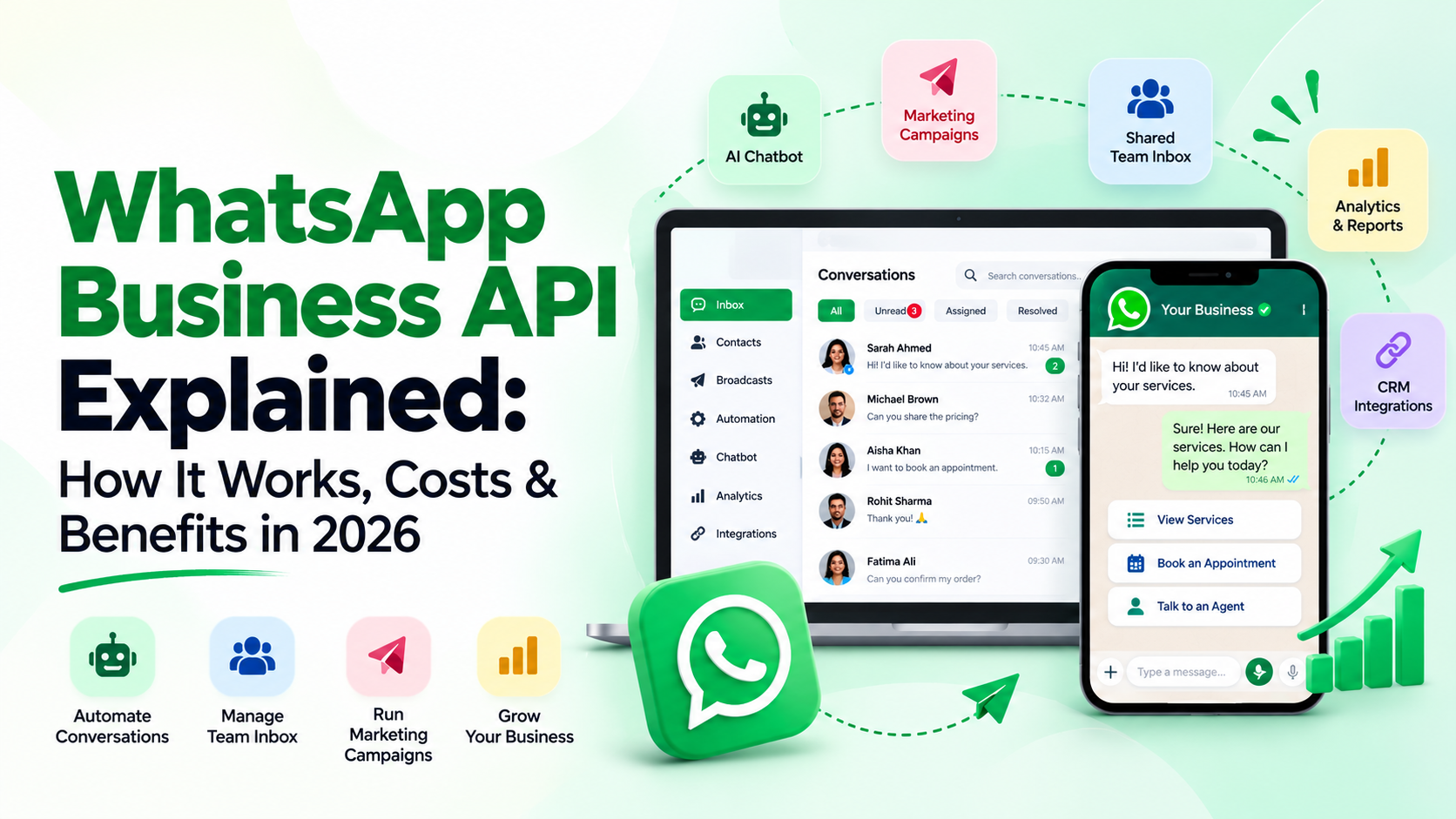
It allows businesses to manage more customer conversations, connect WhatsApp with their existing systems, automate everyday messages, and let several employees work from the same business number.
In this guide, we'll explain how WhatsApp Business API works, its features, setup process, pricing, and how businesses can use it in 2026.
What Is WhatsApp Business API?
WhatsApp Business API, officially part of the WhatsApp Business Platform, is a solution from Meta that lets businesses connect WhatsApp with software for customer communication.
Unlike the regular WhatsApp Business App, the API is designed to work with other systems.
For example, businesses can use it to:
- Answer customer enquiries through an AI chatbot.
- Let multiple employees reply using one WhatsApp number.
- Send appointment reminders and order updates.
- Connect WhatsApp with a CRM or sales system.
- Run marketing campaigns using approved messages.
- Track customer conversations and team performance.
- Automatically send enquiries to the right team member.
The API doesn't come with a ready-made chat dashboard of its own. You need compatible software to use it comfortably.
Platforms such as WAPINexa provide a dashboard that brings WhatsApp conversations, automation, marketing, AI and customer management together.
A simple example
Imagine you run a dental clinic in Dubai.
Patients regularly send WhatsApp messages asking about consultation fees, appointment times, available doctors and clinic locations.
Instead of asking your reception team to answer every question manually, you could set up a WhatsApp chatbot to handle common enquiries.
When someone wants to book an appointment, the chatbot can collect their details and help with the booking process. If the patient has a question that needs personal attention, the conversation can move to a staff member.
Your team spends less time answering the same questions and more time helping patients who need them.
How Does WhatsApp Business API Work?
The basic idea is straightforward.
A customer sends a WhatsApp message to your business number. The WhatsApp Business Platform receives that message and passes it to your connected software.
Your software can then show the message to your team, send an automated response, update a customer record or start another approved action.
Here's a simple example:
- A customer sends a message asking about a service.
- The connected software receives the message.
- A chatbot asks what the customer needs.
- The customer shares their requirements.
- The information is saved in the connected customer management system.
- The conversation is assigned to the right employee.
- The employee continues the chat without asking the customer to repeat everything.
Not every business needs this much automation. You can start with a shared inbox and add more features later.
What Is WhatsApp Cloud API?
WhatsApp Cloud API is Meta's cloud-hosted way of accessing the WhatsApp Business Platform.
This means Meta manages the API's cloud infrastructure. Businesses don't need to run the underlying WhatsApp API servers themselves.
However, they still need a way to manage messages, connect their systems and give employees access.
A company with developers may build its own interface. Another business may prefer a platform that already provides messaging tools, automation and team access.
For many small and growing businesses, the second option is easier to manage.
WhatsApp Business API vs WhatsApp Business App
The WhatsApp Business App and WhatsApp Business API serve different needs.
The app is useful for business owners who personally handle customer messages. The API is better suited to businesses that need stronger team collaboration, automation and connections with other software.
Feature | WhatsApp Business App | WhatsApp Business API |
|---|---|---|
Best suited for | Small teams and individual businesses | Growing teams and businesses with more complex needs |
Getting started | Download the app | Set up API access and compatible software |
Customer messages | Managed through the app | Managed through connected software |
Team access | Limited linked-device access | Multi-agent access through a shared inbox |
Automation | Basic greeting, away messages and quick replies | Advanced workflows and chatbots through connected tools |
CRM integration | Limited built-in options | API-based and provider-supported integrations |
Marketing messages | App-based messaging and broadcast tools | Approved message templates and campaign tools |
Reporting | Basic information | More detailed reporting through connected software |
Costs | Free basic app | Meta messaging charges and possible software fees |
Which one should you choose?
If you run a small shop and receive only a few messages each day, the WhatsApp Business App may be enough.
But if you have a sales team, customer support staff, multiple branches or a large number of enquiries, the API is worth considering.
You don't need to be a large company to use it. What matters is how your business handles customer communication.
Key Features of WhatsApp Business API
The WhatsApp Business API provides the foundation for several useful business features. Some come from Meta, while others depend on the software connected to the API.
1. Automated WhatsApp Messages
Many businesses send the same kinds of messages every day.
A customer places an order. Someone books an appointment. A payment is received. A delivery is dispatched.
These updates can be handled through automated workflows.
For example, an online store could send an approved order confirmation message after a customer completes a purchase.
The customer gets the information they need without waiting for an employee to type it manually.
2. WhatsApp Chatbots
A chatbot can answer common questions and guide customers through simple steps.
For example, a customer asks a car dealership:
"Can I book a test drive this Saturday?"
The chatbot could ask which car they are interested in, collect their preferred time and pass the request to the booking team.
Some chatbots follow fixed steps and buttons. Others use AI to understand questions written in everyday language.
With WAPINexa's automation and AI features, businesses can build customer journeys, collect enquiry details and pass conversations to human employees.
3. Shared Team Inbox
One of the most useful features for growing businesses is a shared WhatsApp inbox.
Instead of passing one mobile phone between employees, team members can manage customer conversations through a shared platform.
For example, a property company may have five sales agents receiving enquiries about different projects.
With a shared inbox, incoming messages can be assigned to agents. Managers can follow conversation progress, and customers can continue speaking with the company through the same number.
WAPINexa supports shared team access, chat assignment, department routing, internal notes and conversation tracking.
4. WhatsApp Marketing Campaigns
Businesses can use approved WhatsApp message templates to contact customers who have agreed to receive messages.
For example, a clothing store may want to tell interested customers about a new collection.
Instead of sending the same message manually, the business can create a campaign for the appropriate customer group.
A well-planned campaign should have a clear purpose, a useful message and an easy way for customers to stop receiving future promotions.
5. CRM Integration
A CRM is software that helps a business organize customer details, enquiries, sales opportunities and follow-up tasks.
Connecting WhatsApp with a CRM means customer conversations can become part of a more organized sales process.
For example, someone enquires about an apartment through WhatsApp. The salesperson can collect their preferred area, property budget and contact information.
With a suitable integration, these details can be saved in the CRM for future follow-up.
WAPINexa supports connections with systems including Zoho CRM, HubSpot and Salesforce, along with API and webhook-based integration options.
6. Reporting and Analytics
Sending messages is only one part of customer communication. Businesses also need to know what happens afterward.
A connected reporting platform may help you answer questions such as:
- How many messages were delivered?
- How many customers replied?
- Which campaign received more enquiries?
- How quickly did employees respond?
- How many leads were assigned to the sales team?
These details help businesses see where their communication process needs improvement.
How to Set Up WhatsApp Business API
Getting started involves preparing your business information, connecting a phone number and choosing how you want to manage conversations.
Here is the general process.
Step 1: Prepare Your Business Details
Start by gathering the information you want customers to see.
This may include your registered business name, website, business address, contact details and a suitable phone number.
You'll also need the appropriate access to your Meta business account.
Depending on your onboarding method and account status, Meta may require additional business information or verification.
Step 2: Choose How You Want to Use the API
You can connect directly to Meta's Cloud API if you have the technical resources to build and maintain the required software.
Or you can choose a business messaging platform that provides the dashboard and tools you need.
Before choosing, consider whether you require:
- A shared inbox for employees.
- AI or rule-based chatbots.
- Marketing campaigns.
- CRM integration.
- Automated reminders.
- Campaign and agent reports.
- Help with setup and ongoing support.
Choose based on the work your team actually needs to do.
Step 3: Connect Your WhatsApp Number
The next step is to register or connect an eligible phone number through the approved onboarding process.
You may be able to use an existing business number, depending on its current setup, account status and available migration or coexistence options.
Don't delete your existing WhatsApp Business account without checking the correct process first.
Step 4: Set Up Your Team and Workflows
Once your connection is ready, decide how incoming messages should be handled.
For example:
A sales enquiry goes to the sales team.
An order problem goes to customer support.
A basic question about working hours gets an automated reply.
A customer asking for a manager can be transferred to a person.
Keep the first workflow simple. It's easier to fix problems before adding more steps.
Step 5: Test Before Going Live
Send test messages and check whether everything works as expected.
Test messages outside office hours. Make sure the right employees receive enquiries. Check that your chatbot understands common questions and knows when to hand over to a real person.
Also test approved message templates, consent handling and your CRM connection if you use one.
WAPINexa offers UAE-based onboarding assistance, including number connection, chatbot setup, automation and integration support.
WhatsApp Business API Pricing in 2026
One question business owners often ask is whether WhatsApp Business API is free.
The simple answer is that using the API can involve several kinds of costs.
Meta charges for certain delivered messages, while your chosen messaging platform may have its own subscription charges.
Meta's Messaging Charges
Meta's WhatsApp Business Platform uses per-message pricing based on message category and the recipient's market.
The main message categories are:
Category | What it is used for |
|---|---|
Marketing | Offers, promotions, product announcements and customer re-engagement |
Utility | Order confirmations, delivery updates, appointment reminders and other non-promotional updates |
Authentication | One-time passwords and account verification |
Service | Replies to messages started by customers |
Under Meta's published pricing rules, service messages are free, and qualifying utility messages sent within the customer service window are also free. Other template messages may be chargeable.
Meta also provides a 72-hour free-entry period for eligible conversations started through Click-to-WhatsApp ads or certain Facebook Page buttons.
The exact charges depend on the message category, destination and current pricing rules.
Check the official WhatsApp Business Platform pricing page before calculating your monthly budget.
WAPINexa Platform Pricing
WAPINexa publishes several subscription options for businesses in the UAE.
Plan | Published monthly price | Suitable for |
|---|---|---|
Startup trial | Free for 7 days | Testing the platform |
Basic | AED 250 | Smaller businesses starting with chatbot tools |
Professional | AED 800 | Growing teams needing advanced automation, CRM integrations and reporting |
Enterprise | Custom quotation | Larger businesses with more complex requirements |
Meta's messaging charges are separate from the WAPINexa subscription.
The plans also have different limits and included features. For example, the Basic plan lists 1,000 conversations per month, while the Professional plan lists 5,000.
You can check the latest features, limits and pricing on the WAPINexa pricing page.
How to Estimate Your WhatsApp API Costs
Before selecting a plan, think about three things:
- How many customers message your business each month?
- How many marketing, utility or authentication messages will you send?
- Which platform features and team access levels do you need?
For example, a business sending 2,000 promotional messages a month should estimate Meta's charges for those messages and then add the cost of its chosen software plan.
Don't assume all messages cost the same. Also remember that not every message sent will necessarily be delivered.
Understanding the 24-Hour WhatsApp Customer Service Window
This is an important rule to understand before using WhatsApp automation.
When a customer sends your business a message, a 24-hour customer service window opens. Each new customer message resets that window.
During the open window, your business can send regular service replies without needing a template.
Once the window closes, you generally need an approved message template to contact the customer again.
Here's an example.
A customer messages your business on Monday at 10 AM to ask about a product.
Your employee replies and answers their questions.
If the customer doesn't message again, the 24-hour service window closes on Tuesday at 10 AM.
If your business wants to send another message afterward, the appropriate approved template must be used.
There are special rules and free-entry periods for certain situations, so always follow Meta's current messaging policies.
What Are WhatsApp Message Templates?
A message template is a predefined message that Meta reviews before certain business-initiated messages can be sent.
Templates can be used for order notifications, appointment reminders, account verification and marketing messages.
For example, an appointment reminder might say:
"Hello Sarah, your appointment is booked for Thursday at 3 PM. Reply if you need help."
The template may include approved placeholders for details such as the customer's name, appointment date or order number.
The important point is to use the correct message category and send messages to people who have agreed to receive them.
Practical WhatsApp Business API Use Cases
Businesses in different industries use WhatsApp for different reasons.
Here are some ways the API can support everyday work.
Healthcare: Appointment Enquiries and Reminders
A medical clinic may receive many messages about appointment availability, location and visiting hours.
An automated system can answer common questions, collect booking requests and send appropriate reminders.
Staff should handle sensitive medical matters carefully, using suitable privacy and security practices.
Real Estate: Property Enquiries and Follow-Ups
A real estate company may receive enquiries from property websites, advertisements and social media.
A chatbot can ask about the buyer's budget, preferred location and property type.
The enquiry can then go to an available agent. Where the system is connected to a CRM, the details can also support follow-up.
Ecommerce: Order and Delivery Updates
Online stores can use WhatsApp to keep customers informed about purchases.
A typical workflow may include order confirmation, dispatch updates, delivery notifications and support after purchase.
When connected to an ecommerce platform, these updates can be triggered by changes in order status.
Education: Admissions and Student Enquiries
Schools and training institutes regularly answer questions about courses, fees, class schedules and admissions.
A chatbot can provide general information and collect enquiry details before passing more specific questions to the admissions team.
Restaurants: Reservations and Customer Messages
Restaurants may receive questions about tables, menus, locations and special requests.
A WhatsApp workflow can collect reservation details and pass requests to the booking team or a connected reservation system.
It can also support booking confirmations and reminders.
These examples show how businesses can use the API. The exact workflow depends on the software, integrations and business processes involved.
How Can WhatsApp Business API Help Small Businesses?
Small businesses don't always need complicated software.
Sometimes, the biggest improvement comes from fixing one everyday problem.
A salon may want to reduce missed appointment enquiries.
A car workshop may want to send service reminders.
A property agent may want customer details saved automatically.
A small online store may want staff to manage messages without sharing one phone.
In each case, start by identifying the problem.
Then decide whether a shared inbox, automation, chatbot or CRM connection would help solve it.
You can add more features as your business grows.
Common WhatsApp API Problems and How to Avoid Them
Even with the right platform, a poor setup can create problems.
Sending Messages Without Permission
Having someone's phone number doesn't automatically mean they want promotional WhatsApp messages.
Get proper permission, explain what kind of messages customers can expect, and respect requests to stop receiving them.
Using the Wrong Message Template
A promotional offer shouldn't be disguised as a delivery update.
Choose the correct template category and follow Meta's messaging rules.
Making Chatbots Too Complicated
If customers have to answer ten questions before reaching a real person, they may leave the conversation.
Ask only for the information you need. Give customers a clear way to speak with an employee.
Not Checking Campaign Performance
A campaign may deliver thousands of messages but receive very few useful replies.
Look at delivery, responses, customer questions and lead quality. Then improve the next campaign.
Connecting Too Many Systems at Once
It's tempting to connect WhatsApp with every tool your company uses.
A better approach is to start with the most important workflow, test it properly and add integrations when needed.
How to Choose the Right WhatsApp Business API Provider
Before choosing a platform, ask a few practical questions.
Does it support the type of messaging your business needs?
Can your team manage conversations from one place?
Does it offer the automation and CRM connections you require?
Is the pricing clear, including Meta charges, software subscriptions and possible extra fees?
Can your team get help when something stops working?
These questions matter more than choosing software with the longest feature list.
For businesses in Dubai and across the UAE, local onboarding and support can also be useful, especially when setting up customer journeys in English and Arabic.
How WAPINexa Helps Businesses Manage WhatsApp
WAPINexa is a UAE-based WhatsApp business platform designed for sales, marketing and customer support.
It brings several customer communication tools together, including:
- WhatsApp Business API connectivity.
- Marketing campaigns and approved message templates.
- AI agents for common questions and lead qualification.
- Automated chatbot conversations and workflows.
- A shared team inbox.
- Contact management and CRM integrations.
- Campaign analytics and performance reporting.
- Onboarding and setup assistance from its Dubai-based team.
For example, a business can collect a new enquiry, ask qualifying questions through an AI agent, assign the conversation to a salesperson and keep customer information connected to its CRM.
When a customer needs more help, a human employee can take over the conversation.
Businesses can also explore WAPINexa's features and integration options to see how the platform fits their existing tools.
Frequently Asked Questions
1. Is WhatsApp Business API free?
Meta's API access is not the same as a free messaging service. Some service replies and qualifying utility messages are free, while other delivered messages can be chargeable. A software provider may also charge a subscription fee.
2. Can small businesses use WhatsApp Business API?
Yes. Small businesses can use the API if they need automation, shared team access or integration with other systems. However, the regular WhatsApp Business App may still be enough for businesses with only a few daily messages.
3. Can multiple employees use one WhatsApp number?
Yes. With a compatible shared inbox platform, multiple employees can manage customer conversations using the same business number.
4. Can I use my existing WhatsApp Business number with the API?
Possibly. It depends on how the number is currently registered and which supported onboarding or coexistence methods are available. Check the process before changing or deleting an existing account.
5. Does WhatsApp Business API support chatbots?
Yes. The API can be connected to software that supports rule-based chatbots and AI agents. The actual chatbot features depend on the platform you choose.
6. Can I connect WhatsApp Business API with my CRM?
Yes. WhatsApp API can work with CRM systems through compatible integrations, APIs or webhooks. WAPINexa offers integration options for platforms such as Zoho CRM, HubSpot and Salesforce.
7. Can I send bulk messages using WhatsApp Business API?
Businesses can send approved template messages to eligible, opted-in recipients, subject to Meta's messaging rules, account limits and quality requirements. Sending unsolicited messages is not acceptable.
8. How long does WhatsApp Business API setup take?
Setup time varies. It depends on the chosen onboarding method, phone number eligibility, business verification requirements and the software configuration needed. A simple connection may take less time than a custom integration.
9. Does WhatsApp Business API work in Dubai and the UAE?
Yes. Businesses in Dubai and other parts of the UAE can use WhatsApp Business API, subject to Meta's policies and applicable local requirements.
10. What is the difference between a chatbot and an AI agent?
A rule-based chatbot usually follows planned questions, buttons and steps. An AI agent can interpret natural language and respond using configured business information. Both may be used together, with human support available when needed.
Final Thoughts
WhatsApp Business API is useful for businesses that want to manage customer communication without depending on one phone or manually answering every message.
It can help teams organize enquiries, automate routine updates, connect customer information with other systems, and keep conversations moving.
But you don't need every available feature from the start.
Begin with the problems your business faces today. Maybe it's missed enquiries, slow replies, too much manual follow-up or difficulty managing several employees on WhatsApp.
Choose a setup that solves those problems first.
If you're exploring WhatsApp Business API for your company, WAPINexa can help you understand the available options, connect your business number and set up the tools your team needs.
Want to see how it works for your business?
Book a free WAPINexa demo and explore how WhatsApp automation, AI and a shared inbox can fit your everyday operations.